

Why is Front-End Development Important: Why It’s Key to User Experience?
Why is Front-End Development Important: Why It’s Key to User Experience?
“94% of first impressions are design-related.” That statistic alone is a wake-up call. It shows how crucial design, particularly front-end development, is for a website’s success. When you think about it, front-end development is like the front door of a house—it’s the first thing people see when they arrive, and the way it looks and functions can either invite them in or send them running. So, what exactly is front-end development? In simple terms, it’s the part of a website or app that users interact with directly. It’s all about creating a seamless, visually appealing experience that keeps people engaged. From the buttons you click to the layout you admire, front-end development shapes how we experience the digital world.
Why is front-end development important?
Front-end development is what your users see and interact with. A good front-end makes sure that your website is visually appealing, easy to navigate, and responsive across all devices. On the flip side, poor front-end development can create frustrating experiences and drive users away. Let’s break it down in a way that’s super clear:
| Difference Between Good Front-End Development & Poor Front-End Development | ||
| Good Front-End Development | Poor Front-End Development | |
| Visual Design | Clean, modern, and aligned with brand identity. It draws users in, makes them feel comfortable, and encourages them to explore more. | Outdated, cluttered, or inconsistent design. Users feel lost or overwhelmed, which makes them leave the site quickly. |
| User Interface (UI) | Intuitive and easy to navigate. Everything feels natural, from buttons to menus, so users can find what they need in seconds. | Confusing and difficult to use. Buttons are hard to find, menus are a mess, and users get frustrated because nothing works the way they expect. |
| Mobile Responsiveness | Optimized for various devices like mobile, tablet, and desktop. Your site looks and works perfectly no matter the screen size. | Poor adaptability, breaking on smaller screens or tablets. Things overlap, texts become unreadable, and users have a terrible experience on anything other than a desktop. |
| Page Load Speed | Fast and efficient, giving a smooth performance even with lots of content. Users don’t have to wait, and it keeps them engaged. | Slow loading times, making users impatient. They might bounce before the site even fully loads. A slow site = lost visitors. |
| User Experience (UX) | Seamless, making users feel comfortable and engaged throughout their time on the site. They find what they need without a hassle. | Frustrating, causing users to leave the site quickly. They struggle to complete even basic tasks, leading to negative feelings about the site or brand. |
| Navigation | Clear, simple, and well-organized. Users can move from page to page effortlessly and find the information they’re looking for. | Complicated and hard to follow. It feels like a maze—users get lost, can’t find what they need, and give up trying. |
| Interactivity | Engaging features like smooth buttons, sliders, and animations that enhance the experience without overloading the user. | Either overdone with too much going on, or non-existent, leaving users confused and uninterested. |
So why is front-end development important? In a word: usability. It bridges the gap between design and functionality, making sure that the website or app isn’t just eye candy, but also easy to use. When done well, front-end development enhances the overall experience and helps the user navigate effortlessly. And let’s be real—people aren’t going to stick around if they can’t find what they’re looking for.
Front-end development is responsible for everything from ensuring mobile responsiveness to creating engaging animations that make the site feel alive. It’s like having a conversation with your users through the interface. You want it to be smooth, engaging, and, most importantly, intuitive.
If you’re still thinking, “Why is front-end development important?” just look at the statistics. Websites with poor design lose traffic at an alarming rate. Nearly 50% of visitors believe that a website’s design is the number one factor in determining a company’s credibility. So, it’s not just about having a website—it’s about having a website that works seamlessly for your audience. here some Top 10 Best Frontend Frameworks in 2024: The Future Is Here
First Impressions Matter
Ever heard the saying, “You never get a second chance to make a first impression”? This holds true not just in face-to-face interactions but in the online world as well. When someone lands on a website, the front-end development is what they notice first. It’s what they’re judging—often within seconds—before they’ve even read a single word or explored any features.
Imagine this: you visit a website, and it’s slow to load, the layout is cluttered, and the colors don’t seem to match. How likely are you to stick around? Not very, right? That’s the power of front-end development. It’s not just about making things pretty—it’s about creating a functional, intuitive design that feels inviting. The colors, typography, and even the way buttons are spaced out all play a role in shaping that first impression.
Now, let’s break it down a little:
- Visual Design: It’s like dressing up for an interview. Your website needs to look polished and professional.
- UI (User Interface): Think of it as the arrangement of furniture in a room. It needs to be laid out in a way that’s both attractive and functional.
At the end of the day, if your website or app doesn’t have a visually appealing and well-structured front end, you’re not just risking a poor first impression—you’re losing users before they even dive in.
User Experience (UX) at the Core
But wait, front-end development isn’t just about looking good. It’s also about feeling good. That’s where User Experience, or UX, comes into play. You could have the most beautiful site in the world, but if users can’t figure out how to navigate it, they’ll bounce faster than you can say “conversion rate.”
Let’s get a bit more technical for a moment. Front-end development includes elements like HTML, CSS, and JavaScript. These are the building blocks that determine how your site looks and behaves. But the key to nailing it lies in understanding how users interact with these elements. That’s why UX is so crucial.
For example, imagine a website that’s visually stunning but has slow load times and confusing navigation. No matter how pretty it is, users are going to get frustrated and leave. That’s why a good front-end developer doesn’t just focus on aesthetics—they focus on performance and usability, ensuring the experience is smooth from start to finish.
Companies like Airbnb and Amazon as prime examples of UX-focused front-end design. These platforms may not always have the flashiest designs, but their front-end is intuitive, fast, and user-centered. This is why they lead in user retention. A good front-end design ensures that users don’t just visit—they stay, explore, and ultimately convert.
Performance and Speed Optimization
Alright, let’s talk speed. Nobody likes a slow website—it’s like waiting for your coffee to brew while running late for a meeting. Performance optimization is a huge deal in front-end development. A well-optimized site loads quickly, keeps users engaged, and lowers bounce rates. Think about it: if your site takes more than 3 seconds to load, over half of your visitors are likely to leave. Yup, 3 seconds, Speed optimization in front-end development isn’t just about technical stuff like minimizing code or compressing images—it’s about making sure your users don’t get impatient and click away.
On the flip side, poor speed optimization is like trying to run a marathon in heavy boots. It drags your whole site down, making it sluggish and frustrating for users. Trust me, no one’s sticking around for that.
Cross-Platform and Cross-Browser Compatibility
Ever opened a website on your phone and it looks…off? Yeah, that’s what happens when front-end development skips cross-platform and cross-browser compatibility. In today’s world, your users aren’t just sitting at their desks on a laptop. They’re accessing your site on everything—phones, tablets, different browsers like Chrome, Safari, Firefox—you name it. Good front-end developers make sure your site works smoothly everywhere. It’s like designing a universal remote that controls everything—it just makes sense.
If you’re not focusing on compatibility, you’re basically telling a portion of your audience, “Sorry, this site isn’t for you.” And guess what? They’ll leave. Fast.
SEO and Front-End: A Direct Impact
You probably know that SEO (Search Engine Optimization) is how your website gets noticed on search engines like Google, but did you know that front-end development plays a direct role in SEO? Yup, The way your site is structured, how fast it loads, and even how well it’s coded all impact your SEO rankings. A clean, efficient front end helps search engines crawl your site better, which means more chances to rank higher.
For example, search engines love fast-loading sites, clean URLs, and mobile-friendliness—all things handled by front-end development. If you don’t get the front-end right, your beautiful content might not even show up on that coveted first page of Google.
Why Choose Ultivic for Your Front-End Development?
Now, if you’re convinced about the importance of front-end development, the next question is, who should you trust to do it? That’s where Ultivic come in. With a team of skilled developers, we understand the fine balance between aesthetic appeal and functionality. We don’t just build websites; we craft experiences.
Choosing Ultivic means you’re opting for a front-end development team that’s tuned in to the latest trends but also grounded in what users want. Whether it’s mobile optimization, speed, or sleek UI design, we’ve got you covered. And let’s be honest, in today’s competitive digital world, you can’t afford to settle for anything less.
Our approach? Is all about collaboration. We don’t just code and design—we work closely with you to understand your brand, your audience, and your vision. That way, your website feels less like a template and more like an extension of your brand.
Wrapping It Up: Front-End Development’s Role in User Experience
So, let’s recap. Front-end development is vital because it shapes the way users experience your website or app. First impressions count, and a poorly designed interface can turn users off before they’ve even had a chance to explore. But it’s not just about appearances—front-end development also plays a crucial role in how easy and enjoyable your site is to use.
Good front-end development ensures your website is responsive, fast, and user-friendly. It’s the difference between a user sticking around and bouncing.
FAQ: Why Is Front-End Development Important?
1. What exactly is front-end development?
Front-end development is all about the parts of a website that users interact with. Think of it like the face of your website—everything from the layout, buttons, and design to how smooth it feels when you click around. If your site looks great and works well, you’ve got solid front-end development.
2. Why does front-end development matter so much for user experience?
First impressions are everything, right? When a visitor lands on your site, they instantly judge it by how it looks and how easy it is to use. Good front-end development makes sure they’re impressed, while bad front-end? Well, they might leave before they even read what you have to say. A seamless experience keeps them engaged.
3. How does front-end development affect site performance?
Front-end development plays a huge role in how fast your website loads. If your site takes too long to load, visitors won’t stick around. By optimizing images, cleaning up code, and making everything lightweight, front-end developers ensure your site runs quickly and smoothly.
4. What’s the deal with mobile responsiveness?
Nowadays, people are browsing on everything from their phones to tablets to laptops. Mobile responsiveness means your site adjusts to look and function perfectly no matter the screen size. A good front-end makes sure your site is mobile-friendly, so users don’t have to pinch and zoom to navigate. Trust me, that’s a game-changer.
5. Does front-end development really impact SEO?
Search engines like Google factor in things like load speed, mobile responsiveness, and clean code—all front-end stuff—when ranking your site. A well-built front end can help boost your SEO, meaning more people find your site. And who doesn’t want more traffic, right?
6. How can front-end development make my website more interactive?
Ever notice those cool hover effects on buttons, or how a menu slides out smoothly? That’s front-end development in action. Interactivity keeps users engaged and makes the experience more enjoyable. But it has to be balanced—too much, and it can be overwhelming, too little, and the site feels flat.
7. Why should I hire professional front-end developers?
Sure, you could try DIY, but professional front-end developers know how to balance aesthetics, functionality, and performance like pros. They’ll make sure your site isn’t just a pretty face, but also runs smoothly, works across all devices, and ranks well on search engines. It’s an investment that pays off.
Angular vs ReactJS: Which One is Better for Frontend Development Framework in 2024?
Angular vs ReactJS: Which One is Better for Frontend Development Framework in 2024?
JavaScript frameworks are still the lifeblood of frontend development, and Angular vs ReactJS is one debate that refuses to die down. If you’re dipping your toes into web development or are a seasoned developer planning your next project, this decision can be a game-changer. Whether you’re a fan of Angular’s full-fledged ecosystem or ReactJS’s simplicity and flexibility, it’s clear that both have their strengths and weaknesses. But, which one’s better for frontend development in 2024? Let’s break it down.
What is Angular?
Angular is a full-fledged frontend development framework that’s been around since 2010, developed and maintained by Google. It’s designed to create dynamic, single-page applications (SPAs) and boasts a rich set of features right out of the box. Angular uses TypeScript (a superset of JavaScript) and follows a very opinionated and structured approach to building web apps.
You get everything you need and then some—routing, form validation, dependency injection—you name it, Angular’s probably got it baked in.
- Component-based architecture that promotes reusability.
- Two-way data binding to automatically synchronize the model and view.
- A huge community and support from Google make it a reliable choice for enterprise-grade applications.
What is ReactJS?
ReactJS, on the other hand, is more of a library than a framework. It was created by Facebook in 2013 to make UI development easier and more efficient. Instead of offering a complete package like Angular, React focuses on building user interfaces and lets you decide what other tools you want to pair with it.
React is all about components too, but it’s lightweight and allows you to have more control over how you structure and build your application.
- Virtual DOM that enhances performance by minimizing direct manipulation of the DOM.
- Unidirectional data flow, making debugging easier and more predictable.
- Highly flexible, allowing developers to integrate with other libraries or even frameworks for state management, routing, etc.
Pros and Cons of Angular and ReactJS
Both Angular and ReactJS have their advantages and shortcomings. Let’s dig deeper into each:
Angular: Pros
- Complete framework: Everything’s in one place, making it perfect for large-scale applications.
- TypeScript support: Reduces bugs and enhances productivity with static type checking.
- Two-way data binding: Syncs your data between the model and the view instantly.
- Comprehensive documentation: Detailed resources for developers to dive into any topic they’re curious about.
Angular: Cons
- Steep learning curve: Angular’s rich feature set makes it complex, especially for beginners.
- Verbosity: It can feel a bit heavy-handed with boilerplate code and configuration.
- Slower performance compared to React when handling small to medium-sized applications.
ReactJS: Pros
- Flexibility and simplicity: You’re in control of the development stack, which allows for fine-tuned, highly-optimized applications.
- Fast rendering: The virtual DOM makes React apps highly efficient, particularly in complex applications.
- Reusable components: React’s emphasis on components leads to cleaner, more maintainable code.
- Great ecosystem: Tons of community-driven libraries like Redux, React Router, etc., to extend its functionality.
ReactJS: Cons
- Not a full framework: You’ll need to rely on third-party libraries for things like routing and state management, which can add complexity.
- Poor documentation: The rapid pace of React’s development means documentation often lags behind.
- JSX syntax: Mixing HTML with JavaScript (JSX) can be off-putting for some developers.
Angular vs ReactJS: Which One is Better for Frontend Development Framework in 2024?
This might seem like a trick question because the answer really depends on what you need for your project. Angular and ReactJS both have their sweet spots, and here’s where things start to get interesting. In 2024, developers still face this choice based on project needs and the development team’s expertise.
| Angular vs ReactJS Main Difference | ||
| Angular | ReactJS | |
| Type | Full-fledged framework, offering a complete solution | JavaScript library focused on building user interfaces |
| Language | Built with TypeScript, providing static typing | Built with JavaScript, with optional TypeScript support |
| Learning Curve | Steeper learning curve due to its complexity and extensive features | Easier to learn for beginners, especially with JavaScript knowledge |
| Data Binding | Two-way data binding, automatically syncing data between model and view | One-way data binding, making data flow predictable and easier to debug |
| Performance | Can be slower for small to medium-sized applications due to its complexity | Virtual DOM improves performance, especially in dynamic or complex UIs |
| Flexibility | Highly opinionated with many built-in features, which may limit flexibility | Extremely flexible, allowing developers to choose the tools and libraries they need |
| Community Support | Large community with official support from Google, making it reliable for enterprise applications | Strong open-source community with extensive resources, backed by Meta (formerly Facebook) |
| Use Cases | Best suited for large, enterprise-grade applications with complex features | Ideal for smaller, dynamic, or single-page applications where performance and simplicity matter |
| State Management | In-built with RxJS and NgRx for handling state in complex apps | External libraries like Redux or MobX are often used for state management |
| Ease of Testing | Testing is integrated into the framework with tools like Jasmine and Karma | Requires additional libraries for testing, such as Jest or Enzyme |
When to Choose Angular
- Enterprise-level applications: Angular shines when you need a robust, all-in-one solution for large-scale apps with complex features. Think banking systems, CRM software, or apps where consistency and scalability are crucial.
- TypeScript-first development: If your team prefers a strict typing system or has experience with statically typed languages like Java or C#, Angular, with its baked-in TypeScript, is the way to go.
- Team structure: For projects with larger teams, Angular’s standardized structure helps maintain uniformity across the board. With predefined rules and conventions, onboarding new team members becomes easier, reducing the learning curve over time.
When to Choose ReactJS
- Single-page applications (SPAs): React’s flexibility makes it ideal for SPAs where you don’t need a full-fledged framework. It gives you freedom without the baggage of a heavier tool like Angular.
- Smaller or mid-size projects: If you’re building something lightweight that doesn’t require all of Angular’s built-in features, React is much more agile and simpler to use.
- Customizable ecosystem: Need total control over the libraries you’re using for things like state management and routing? React’s flexibility gives you the freedom to pick and choose, so you can craft an ideal stack for your needs.
- Fast learning curve: For newer developers or teams, React’s simplicity and the abundance of learning resources make it a quick pick-up.
Conclusion
So, Angular vs ReactJS—who’s the winner? Well, it depends, Angular’s your go-to for large, enterprise applications that need a complete solution with minimal external dependencies. ReactJS, however, excels in flexibility and performance, making it perfect for modern, dynamic user interfaces, particularly in smaller applications.
Ultimately, the better choice for frontend development in 2024 comes down to the project’s needs and your team’s expertise. If you’re still unsure, it might even make sense to learn both; they each bring something unique to the table.
In the end, the real question isn’t Angular vs ReactJS, but rather—what suits your project better in 2024?
FAQs: Angular vs ReactJS
1. Which is easier to learn: Angular or ReactJS?
Well, that really depends on your background. If you’re already familiar with TypeScript and enjoy a more structured framework, Angular might not be too bad. But for most beginners, ReactJS is way easier to get started with. It’s more flexible, and because it’s just a library, you don’t have to worry about learning a ton of built-in features right away. Plus, there are loads of resources online for React.
2. Does Angular or ReactJS who perform better for large-scale apps?
For large, enterprise-level apps, Angular typically performs better, especially because it comes with everything you need right out of the box. You won’t have to scramble to find third-party libraries, and the strong community and Google’s support ensure stability. ReactJS can handle large apps too, but since it’s more lightweight, it’ll require additional tools and libraries, which could complicate things.
3. Can I use TypeScript with ReactJS?
Even though ReactJS is based on JavaScript, it fully supports TypeScript. In fact, many developers love combining React with TypeScript for the extra type safety and debugging ease. So, if you like Angular for TypeScript but prefer React’s flexibility, you can have the best of both worlds.
4. What’s the main difference between Angular and ReactJS?
The main difference is that Angular is a full-fledged framework, while ReactJS is a library. Angular gives you everything from routing to state management built-in, which can be handy if you like an all-in-one solution. ReactJS is more flexible— it lets you pick and choose the tools you want to use, but that means you have to configure more yourself.
5. Which one is better for mobile app development?
For mobile development, ReactJS has a bit of an edge because of React Native. React Native allows you to build cross-platform apps using React, so it’s super efficient if you want a mobile version of your web app. Angular has options like Ionic, but React Native is often considered more popular and powerful in the mobile space.
6. Can you use Angular and ReactJS together in a project?
Technically, yes, but why would you want to? They’re built to handle the same kinds of tasks, so combining them would only add unnecessary complexity. It’s best to pick one and stick with it for the duration of your project.
7. Which one should I learn first in Angular or ReactJS?
If you’re just starting out, ReactJS is probably the better bet. It’s simpler, and there’s a huge community of developers who’ve been in your shoes. But if you’re planning on building large, enterprise-level apps, learning Angular could be a smart investment. The best choice depends on your goals and the kind of projects you’re interested in.
Kotlin vs Flutter: Which One is Better in 2024?
Kotlin vs Flutter: Which One is Better in 2024?
“Did you know that Kotlin’s popularity skyrocketed by 80% among Android developers in the last five years?”—That’s right, this powerful language, introduced by JetBrains, has taken the development world by storm. And then there’s Flutter, Google’s ambitious toolkit that allows you to create beautiful native apps on a single codebase. With these two giants, the question on everyone’s mind is: Which one is better in 2024? Let’s dive deep into Kotlin vs Flutter, breaking down the differences, strengths, and scenarios where each one truly shines.
What is Kotlin and Why Do We Use It?
Kotlin is a modern programming language developed by JetBrains, the same folks behind IntelliJ IDEA. It runs on the Java Virtual Machine (JVM), making it compatible with Java code. Over the years, Kotlin has evolved from just being a “better Java” to being the official language for Android development. It’s concise, null-safe (bye-bye NullPointerExceptions!), and has a robust set of tools.
But why do we use Kotlin? Simple—it’s powerful yet easy to learn. Kotlin allows developers to write cleaner, more maintainable code. It reduces boilerplate code significantly. In the Android world, Kotlin is like that cool new tool that just works and makes life easier. Android Studio fully supports it, and Google recommends it as the language of choice for Android apps. Plus, Kotlin isn’t just confined to Android. You can use it for backend development, cross-platform apps, and even web development.
Pros and Cons of Kotlin
Let’s talk Kotlin. This language isn’t all rainbows and sunshine—although it’s pretty close.
Pros:
- Interoperability with Java: One of Kotlin’s biggest strengths is that it’s 100% interoperable with Java. You don’t have to start from scratch when switching to Kotlin—you can use your existing Java codebase.
- Conciseness: Kotlin cuts out unnecessary boilerplate code, so you can do more with fewer lines. It’s great for those who hate repetition.
- Null Safety: Kotlin has built-in null safety. This means fewer runtime crashes due to null pointers, a feature that Java developers often envy.
- Coroutines: With Kotlin, asynchronous programming is made easy through Coroutines, which simplifies threading tasks. This makes building complex apps a breeze.
Cons:
- Learning Curve: Even though Kotlin is touted as an easy-to-learn language, it’s still more complex than Java for complete beginners. Some developers struggle with its unique syntax and functional programming elements.
- Compilation Speed: While Kotlin’s code is more concise, its compilation times can be slower compared to Java, especially for large projects. It’s improving, but it’s something to consider.
- Smaller Community: Although Kotlin is growing fast, it still doesn’t have as large a community as Java or Flutter. This means fewer libraries, fewer resources, and sometimes, less support.
What is Flutter and Why Do We Use It?
Now, Flutter is a different beast. Created by Google, it’s a complete UI toolkit designed to build apps for Android, iOS, the web, and even desktop—all from a single codebase. Flutter doesn’t just help you create apps, it lets you build beautiful, natively compiled applications. The secret? Its Dart programming language, which compiles to native ARM code, making it incredibly fast.
So, why do we use Flutter? Because it’s efficient, cross-platform, and has the power to deliver smooth animations and a modern user experience. For startups and businesses with tight deadlines, Flutter allows you to create feature-rich apps with a shorter time-to-market. If you’re thinking about creating an app without worrying about platform-specific codebases, Flutter is your go-to. Plus, it has a massive community, Google backing, and support for Material Design and Cupertino, making it a favorite among UI/UX designers.
Pros and Cons of Flutter
Now, Flutter isn’t without its quirks. While it seems like the shiny tool for cross-platform development, it’s got its pros and cons too.
Pros:
- Single Codebase for Multiple Platforms: Flutter allows you to write code once and deploy it across Android, iOS, web, and desktop. This drastically reduces development time and costs.
- Fast Development: Flutter’s hot reload feature makes the development process much faster. You can see changes in real-time without restarting the whole app.
- Great UI/UX Capabilities: Flutter’s custom widgets are a dream for designers. Whether it’s Material Design or Cupertino (iOS-style), Flutter delivers pixel-perfect interfaces.
- Strong Community Support: With Google behind it and a large, active community, Flutter is continuously evolving, bringing in new features and fixing bugs quickly.
Cons:
Limited Access to Native APIs: While Flutter covers most APIs, there are still certain platform-specific features where it struggles. You may need to write native code to get some functionalities working seamlessly on iOS or Android.
Large App Sizes: One drawback of Flutter is the large size of compiled apps. This could be a problem for users with limited storage, especially on mobile devices.
Dart Language: Although Flutter is fantastic, not everyone loves Dart. It’s a lesser-known language compared to Kotlin or Java, and developers might need time to adapt.
Flutter vs Kotlin Comparison
When we compare Kotlin vs Flutter, it’s important to remember that they’re built for different use cases. Kotlin is more focused on Android development and can handle native app performance exceptionally well. Flutter, on the other hand, is a cross-platform solution, designed to build apps that work on multiple platforms with minimal effort.
| Flutter vs Kotlin Comparison | ||
| Feature | Kotlin | Flutter |
| Platform | Native Android | Cross-Platform (iOS, Android, Web, Desktop) |
| Language | Kotlin (JVM-based, interoperable with Java) | Dart (compiled to native code) |
| Use Case | Android development, backend services | Cross-platform app development |
| Performance | Best for Android native performance | Near-native performance across platforms |
| UI/UX | Follows Android UI guidelines | Custom widgets for both Material and Cupertino design |
| Community Support | Growing but smaller than Java | Strong and backed by Google |
| Development Speed | Moderate (depends on familiarity with Java) | Fast, thanks to Hot Reload |
| Learning Curve | Easy for Java developers, but some complexity | Requires learning Dart, less known than Kotlin |
| App Size | Smaller native app sizes | Larger app sizes compared to Kotlin |
| Tooling | Fully integrated with Android Studio | Uses its own IDE (Flutter SDK with Visual Studio Code or Android Studio) |
When to Use Kotlin?
- Native Android Development: If you’re building an Android app that requires the best possible performance, Kotlin is the way to go.
- Interoperability with Java: When you have an existing Java codebase or need to integrate Java libraries, Kotlin offers smooth interoperability.
- Backend Development: Kotlin can also be used for backend services, especially with frameworks like Ktor.
When to Use Flutter?
- Cross-Platform Development: If your goal is to build apps for both Android and iOS, Flutter allows you to write a single codebase that can run on both platforms. This saves time and effort.
- Quick Prototyping: Flutter’s hot reload makes it ideal for quickly building and testing UI components.
- Beautiful UIs: When your app requires stunning visuals, Flutter’s custom widgets and fast rendering engine make it a solid choice.
Conclusion: Kotlin vs Flutter—Which One is Better in 2024?
So, Kotlin vs Flutter—who takes the crown in 2024? Well, it really depends on what you’re building. Kotlin is your go-to for native Android development and complex apps with seamless Java integration. Flutter, on the other hand, dominates when it comes to cross-platform apps with dazzling UIs. Both have their strengths and trade-offs, but the best one for you boils down to your project requirements.
In the end, whether you choose Kotlin or Flutter, the real winner is your app.
Kotlin vs Flutter: Frequently Asked Questions
1. Which is better for Android development, Kotlin or Flutter?
Both Kotlin and Flutter are great for Android development, but it depends on what you’re building. If you’re working on a native Android app and need the best possible performance, Kotlin wins hands down. It’s officially recommended by Google for Android development. But, if you need to launch an app on both Android and iOS with minimal effort, Flutter is the way to go.
2. Is Kotlin harder to learn than Flutter?
Kotlin isn’t difficult, especially if you’re familiar with Java or other JVM-based languages. Flutter, however, requires learning Dart, which may feel unfamiliar if you haven’t used it before. But, both have their learning curves, If you’re an Android developer, Kotlin might feel more natural, while Flutter is better suited if you’re diving into cross-platform development.
3. Can I use Kotlin for iOS development?
Technically, yes with Kotlin Multiplatform, you can share code between Android and iOS. However, the experience isn’t as seamless as using Flutter, which was designed specifically for cross-platform development. Kotlin Multiplatform is still evolving, so it’s worth keeping an eye on, but if your focus is primarily on cross-platform, Flutter’s more polished.
4. What about app performance who wins Kotlin or Flutter?
For native Android apps, Kotlin wins with smoother performance because it directly integrates with Android’s ecosystem. But Flutter is no slouch—it offers near-native performance thanks to its Dart-to-native compilation. So, if you need a cross-platform app, Flutter performs quite well on both Android and iOS.
5. Do Flutter apps have larger file sizes?
Yeah, that’s one downside. Flutter apps tend to have larger file sizes compared to Kotlin-based Android apps. This is mainly because Flutter includes a large number of libraries and frameworks necessary to run on multiple platforms. If app size is critical to you, Kotlin might be a better choice for Android-only apps.
6. How does the development speed compare between Kotlin and Flutter?
Flutter can speed up development when building for multiple platforms (Android and iOS), thanks to the hot reload feature that lets you instantly see changes. Kotlin, however, is excellent for building Android apps fast, especially if you already know Java. If cross-platform is your goal, Flutter offers quicker development cycles.
7. Can I use both Kotlin and Flutter in the same project?
Some developers use Kotlin for Android-specific features while leveraging Flutter for the UI and cross-platform capabilities. It’s a bit more complex to manage but gives you the best of both worlds.
8. Which one has better community support Flutter or Kotlin?
Both are supported by massive communities, but Flutter has been growing at a rapid pace due to its cross-platform capabilities and Google’s backing. Kotlin is also rising in popularity, especially in the Android world. You’ll find plenty of tutorials, forums, and support for both, but Flutter might offer more diverse resources since it’s used across platforms.

E-commerce Website Development: Why It’s More Important Than Ever
E-commerce Website Development: Why It’s More Important Than Ever
As the world rapidly shifts online, having a well-developed e-commerce website has become more than just a luxury—it’s an absolute necessity for businesses. Whether you’re a budding entrepreneur or an established brand, your website can make or break your success. So, how do you go about e-commerce website development? Let’s break it down in a way that’s easy to grasp.
Understanding E-commerce Website Development—Let’s Break it Down
It’s like setting up a shop, but virtually You need everything—from a catchy storefront (website design) to smooth customer service (user experience). The key? Making sure customers feel at ease the moment they land on your site. And, you don’t want them waiting forever for the page to load. Slow websites = lost sales. I mean, who’s got the patience these days, right?
The Basics of E-commerce Website Development
So, how do you begin this process? It starts with understanding a few essentials. Here’s a quick breakdown:
- Platform: You’ll need a strong foundation, and that’s your e-commerce platform. Think of platforms like Shopify, WooCommerce, or Magento. Each has its pros and cons, depending on your business size, products, and budget.
- Design: Your website’s design isn’t just about looking pretty; it’s about making navigation easy. Clean layouts and intuitive menus will lead to higher sales. Trust me, no one likes a messy, hard-to-navigate store.
- Functionality: Speed is everything, A website that loads quickly and operates smoothly keeps customers engaged, while a slow one will have them hitting the back button faster than you can say “checkout.”
- Mobile Responsiveness: With a huge chunk of shopping done on mobile these days, your e-commerce site better be mobile-friendly.
By now, you might be wondering, “Is this really that complex?” Well, it is—but only if you don’t have a plan.
Choosing the Right Platform for Your E-commerce Website
Alright, let’s say you’re all set to dive into e-commerce website development. One of the first things you’ll wanna figure out is what platform to use. Now, don’t stress, ‘cause this isn’t rocket science—though it can feel that way if you’re just starting out.
Here’s the lowdown:
- Budget: Don’t blow all your cash on fancy tools if you’re just starting. There are affordable platforms out there, like WooCommerce. Bigger businesses may wanna consider Magento or Shopify for more customization options and it let you scale as you grow.
- Ease of Use: Unless you’re some tech wizard, you’ll want a platform that’s easy to use and doesn’t require you to learn coding overnight. Platforms like Shopify are plug-and-play, while others like Magento offer deep customization but require more technical know-how.
- Scalability: If you plan on growing (and who doesn’t?), make sure the platform you choose can handle increased traffic and more products without crashing.
Essential Features of a Successful E-commerce Website
Okay, so you’ve got your platform. Now, what makes an e-commerce website actually good? Well, there’s a bunch of stuff to think about. Here’s a little checklist:
- User-friendly interface: Your site should be easy for customers to navigate. No one wants to hunt for the “add to cart” button.
- Mobile responsiveness: With most people shopping from their phones, your website has to look and work great on all screen sizes.
- Secure payment options: Customers need to trust that their payment info is safe. Integrating payment gateways like PayPal or Stripe helps boost that trust.
- Fast loading speed: Slow websites lose customers. Aim for your pages to load in under three seconds.
- SEO optimization: Ensure your site is optimized for search engines so customers can find you. Using the right keywords (like e-commerce website development in this blog) can boost visibility.
- Shopping cart and checkout process optimization: Make the shopping experience smooth from start to finish. Too many steps? People will bail.
Designing for High Conversion Rates
Once your site is up and running, the next goal is converting visitors into customers. But how? A good design is key here. You want your customers to feel like buying is the easiest and most natural thing to do. Simple layouts, clear CTAs (calls to action), and strategically placed “buy now” buttons can make all the difference. Plus, including customer reviews and product suggestions can encourage visitors to make a purchase they were unsure about. It’s all about guiding them gently through the process without overwhelming them.
Security Measures for E-commerce Websites
Now, let’s talk security. If your customers don’t feel safe shopping on your site, they’re out. Simple as that. So, securing your e-commerce website is a must.
- SSL certificates: These ensure that any data exchanged between your website and the customer is encrypted. You’ve probably noticed the little padlock icon next to some URLs—that’s an SSL certificate at work. Customers trust sites with these, plain and simple.
- Encryption: Keeping sensitive information safe from hackers is crucial. No one wants their credit card info floating around the web.
- Secure checkout: Make sure the payment process is seamless and secure. Multiple payment options, paired with high-level security, give customers the peace of mind they need to hit the “buy” button.
Maintaining and Updating Your E-commerce Website
Regular maintenance is just as important as development. Think of your website as a living thing. If you neglect it, things go downhill fast.
- Updates: Software updates help keep everything running smoothly. It’s like taking your car for regular servicing—you gotta do it.
- Performance monitoring: Keep an eye on how your site is performing. Is it still loading quickly? Are customers encountering errors during checkout? Constant monitoring helps catch issues before they become bigger problems.
- Security: You’ve gotta stay ahead of the game when it comes to security. Hackers are always finding new ways to exploit vulnerabilities, so make sure your site is up-to-date with the latest security measures.
Why Choose Ultivic for E-commerce Website Development?
When it comes to e-commerce website development, you want experts who understand the ins and outs of the digital marketplace. That’s where Ultivic come in. We don’t just build websites—we create seamless, high-converting online stores tailored to your business needs. With a team of seasoned professionals, we ensure your site is fast, secure, mobile-responsive, and optimized for SEO, giving your business the competitive edge it needs. Plus, our personalized support means you’ll never feel lost in the technical details. Ready to elevate your e-commerce game? Ultivic has got you covered
Conclusion: Building Your E-commerce Success
So, what’s the takeaway from all of this? E-commerce website development is crucial for the success of your online business, no matter the size. From choosing the right platform to ensuring a secure and user-friendly experience, every step matters. Don’t forget—your website isn’t just a store; it’s the face of your business. Keeping it fresh, functional, and secure will keep your customers coming back for more.
FAQ
1. What is e-commerce website development?
E-commerce website development is all about creating an online store where customers can browse and buy your products or services. It includes everything from setting up the platform, designing the layout, integrating secure payment options, and optimizing for fast loading and mobile responsiveness. Think of it like building a brick-and-mortar shop, but online.
2. Why is a well-developed e-commerce website important?
A well-developed e-commerce website is crucial because it directly impacts customer experience and sales. A smooth, fast, and user-friendly site will keep customers coming back, while a slow, confusing site will drive them away. In today’s digital age, your website is often your first impression—so it better be a good one.
3. What features are essential for a successful e-commerce website?
Key features include a user-friendly interface, mobile responsiveness, secure payment options, fast loading speed, SEO optimization, and a streamlined shopping cart and checkout process. Each of these elements ensures your customers have a smooth shopping experience.
4. How do I choose the right platform for my e-commerce website?
Start by considering your budget, business size, and long-term goals. If you want something easy and quick to set up, Shopify is a solid choice. For more flexibility and customization, platforms like Magento or WooCommerce might be better.
5. What are the benefits of hiring Ultivic for e-commerce website development?
Ultivic offer tailored solutions to fit your specific business needs. With a focus on high-conversion designs, secure payment integrations, and SEO-optimized development, we ensure your e-commerce site is not just functional but thrives in a competitive market. Plus, our ongoing support makes sure you’re never left in the dark.
6. How can I improve the security of my e-commerce website?
To ensure top-notch security, your site should have SSL certificates for encrypted data transfers, secure payment gateways, and frequent software updates to protect against vulnerabilities. Regular maintenance and security checks also help keep your site safe from hackers.
7. How often should I update my e-commerce website?
Regular updates are essential, You should be checking performance metrics, updating software, and ensuring security features are current. This helps your site stay fast, functional, and secure. Plus, keeping content fresh will keep customers engaged and coming back.
8. Why is mobile responsiveness important for an e-commerce website?
With a large percentage of shopping done on mobile devices, having a mobile-friendly site is non-negotiable. If your site doesn’t work well on smartphones and tablets, you’re likely missing out on a huge chunk of potential customers. It’s all about convenience—people want to shop on the go.
9. How does SEO affect my e-commerce website?
SEO, or Search Engine Optimization, helps your website rank higher on search engines like Google. When your site is optimized for SEO, more people can find your products, leading to increased traffic and sales. Without it, your site could get lost in the sea of competition.

Best Web Design Company in USA – Ultivic
Best Web Design Company in USA – Ultivic
“First impressions are 94% design-related.” That’s not just a number—it’s a wake-up call In today’s digital age, your website is often the first encounter a potential client or customer has with your brand. Ultivic understands this crucial reality, which is why we’ve earned the reputation as the Best Web Design Company in the USA. With a knack for blending creativity, functionality, and cutting-edge technology, we’ve become the go-to choice for businesses across the nation. But why is having a professionally designed website so important in the first place? Let’s look into it.
The Importance of a Professionally Designed Website in the USA
In the USA, where competition in every industry is fierce, having a website that stands out isn’t a luxury—it’s a necessity. A professionally designed website can make or break your business. Think about it: would you trust a company with a clunky, outdated website? Probably not. A sleek, modern design builds credibility and trust, two key factors in converting visitors into customers.
- First Impressions Matter: Your website’s design will either make visitors stick around or hit the back button faster than you can say “bounce rate.”
- SEO Benefits: A well-designed site doesn’t just look good—it performs better on search engines, driving more traffic your way.
- User Experience is Key: Nobody likes a slow, hard-to-navigate website. Ultivic ensures your website works seamlessly across all devices, ensuring that your users have the best possible experience.
Ultivic knows that your website isn’t just a place for information—it’s a gateway to your brand. Our expertise in crafting custom designs that are not only visually stunning but also functional is what makes us the best web design company in the USA.
Why Choose Ultivic for Web Design?
So, what exactly sets Ultivic apart from the rest? It all comes down to our commitment to creating websites that truly represent your brand while driving real business results.
- Tailored Solutions: No cookie-cutter designs here, Ultivic believes in creating websites that are as unique as your business. We take the time to understand your goals and target audience, ensuring that the final product is both visually appealing and strategically effective.
- Cutting-Edge Technology: Staying ahead of web design trends is a full-time job, and Ultivic is always up to date. Whether it’s integrating the latest responsive design techniques or ensuring your site is optimized for speed and SEO, we’ve got it covered.
- Client-Centered Approach: We don’t just create websites—we build relationships. From the initial consultation to the final launch (and beyond), our team is there every step of the way, making sure your vision comes to life.
In a crowded market, it’s easy to see why businesses turn to Ultivic for their web design needs. We don’t just aim to meet expectations—we exceed them, every time.
Key Services Offered by Ultivic
When it comes to the variety of services offered, Ultivic doesn’t hold back. We’re your one-stop shop for everything web design-related, and here’s a quick rundown of what we bring to the table:
- Custom Web Design: Forget the templates, Ultivic creates custom websites tailored to your specific business needs. It’s all about building something that stands out.
- E-commerce Web Design: Got products to sell? Our e-commerce solutions are designed to help you drive sales and offer your customers a smooth, secure shopping experience.
- Responsive Design: With so many people browsing on mobile, your website needs to work well on any screen. Ultivic makes sure your site looks and works great on desktops, tablets, and smartphones.
- User Experience (UX) and User Interface (UI) Design: We don’t just focus on looks—we focus on how your website works. The team prioritizes UX and UI to ensure your visitors have the best experience possible, increasing the chance they’ll stick around (and convert).
This mix of services guarantees that no matter what your business needs, Ultivic has got your back. And we do it in a way that feels personalized.
What Sets Ultivic Apart?
There are a ton of web design companies in the USA, so why choose Ultivic? It’s simple—we go above and beyond what’s expected. We don’t just create beautiful websites (though we do that exceptionally well), we focus on performance, usability, and ROI. Many companies can give you a flashy homepage, but Ultivic ensures that your site not only looks good but functions as a powerful marketing tool.
We understand that a website is a critical part of your business, and we make sure it delivers results. From SEO optimization to user-friendly navigation, our team leaves no stone unturned.
Our approach combines creativity with strategy. It’s not just about colors and layouts; it’s about understanding your business goals and translating them into a website that works. That’s what truly sets us apart from the pack. We’re not just another web design company—we’re a partner in your success.
Get Started with Ultivic
Ready to take your website to the next level? Getting started with Ultivic is easy. Whether you’re looking to build a website from scratch or revamp an existing one, our team is ready to dive in and make your vision a reality.
Reach out for a free consultation, and you’ll quickly see why we’re known as the best web design company in the USA. Our process is smooth and collaborative—we listen, we advise, and most importantly, we deliver.
Ultivic doesn’t just provide a service—we offer an experience. From the initial brainstorming sessions to the final launch, we make sure you’re involved and informed every step of the way. Our dedication to customer satisfaction is second to none, and it’s what makes us the top choice for businesses across the country.
Conclusion
Choosing the right web design company can make all the difference, and when it comes to expertise, creativity, and results, Ultivic stands head and shoulders above the rest. We’re not just another agency—we’re your partner in building a powerful online presence.
Whether it’s through our custom web designs, or our focus on user experience, or our client-centered approach, it’s clear why we’re the best web design company in the USA. So, why wait? Get in touch with Ultivic today and start building a website that works as hard as you do.
FAQ
Q1: What kind of websites can Ultivic create?
Pretty much anything you need, Ultivic specializes in a range of services like custom web design, e-commerce websites, and responsive designs that look amazing on every device. We’re also pros at UX (User Experience) and UI (User Interface) design, so your site won’t just look good—it’ll function smoothly too, making sure your visitors stick around
Q2: How does Ultivic approach custom web design?
Forget cookie-cutter templates. Ultivic takes the time to understand your business and your audience. We focus on building a unique website that represents your brand and speaks directly to your customers.
Q3: Why is a responsive design so important, and does Ultivic offer it?
Oh, 100%, with more people browsing on mobile devices these days, having a responsive website is crucial. Ultivic ensures that your website looks sharp and works flawlessly on everything from desktops to smartphones. We focus on smooth navigation and quick load times, no matter the device.
Q4: How long does it take for Ultivic to design a website?
It really depends on the complexity of your project, but we’re known for our efficient process. We keep you in the loop every step of the way, from concept to launch. Most websites can be completed within a few weeks, but we’ll give you a clear timeline during your consultation.
Q5: What kind of support does Ultivic offer after my website goes live?
We’ve got your back even after launch. Ultivic offers ongoing support and maintenance to make sure your site continues to run smoothly. Whether it’s fixing bugs, updating content, or optimizing performance, we’re always there to help you keep things fresh and functional.
Q6: How can I get started with Ultivic?
It’s super easy. Just reach out to us for a free consultation, and their friendly team will take it from there. Whether you’re starting from scratch or looking to overhaul your existing site, Ultivic will guide you through the process, ensuring your website is everything you’ve dreamed of and more.
Q7: Do we offer e-commerce web design?
Yep, If you’re looking to sell products online, Ultivic can build a secure, user-friendly e-commerce site that drives sales. We’ll make sure your online store looks great and offers a smooth shopping experience for your customers, helping you increase conversions.

8 Best JavaScript Backend Frameworks
8 Best JavaScript Backend Frameworks
With over 98% of websites using JavaScript, it’s hard to imagine a world without it. Most of the time, we associate JavaScript with frontend development, crafting the interactive parts of a webpage. But, JavaScript is just as mighty on the backend. This article explores the best JavaScript backend frameworks available today, focusing on speed, scalability, and community support.
What Are JavaScript Backend Frameworks?
In simple terms, JavaScript backend frameworks help developers build the server side of an application. Imagine a framework as the skeleton of your app, providing the necessary tools and structure to create a backend that works seamlessly with the frontend. With JavaScript growing popular for full-stack development, frameworks have evolved to assist with everything from handling HTTP requests to managing databases.
Backend frameworks built on JavaScript aren’t just about functionality—they’re about efficiency. They allow developers to write cleaner, more maintainable code. But let’s face it, with so many options, how do you even choose the best JavaScript backend framework?
A Quick Overview of Backend Frameworks
Before diving into specifics, let’s talk about why you’d want to use a backend framework in the first place. Backend frameworks offer:
- Pre-built components: You don’t have to start from scratch.
- Efficient routing: These frameworks know how to send users where they need to go.
- Database integration: They handle connecting to and communicating with databases.
- Middleware support: To make things even more flexible, these frameworks offer middleware to process requests.
Now, let’s talk about some of the best frontend frameworks that also offer amazing backend support!
Top 8 Best JavaScript Backend Frameworks in 2024
1. Node.js (Runtime)
It’s impossible to start this discussion without mentioning Node.js, arguably the most well-known JavaScript runtime. Powered by Google’s V8 engine, Node.js allows developers to write JavaScript for both client and server-side applications, making it a preferred choice for full-stack development.
Why Node.js?
- Speed and Performance: Node.js excels at handling real-time applications like chats, collaboration tools, and streaming platforms. Its non-blocking, asynchronous architecture means it handles multiple requests simultaneously, making it incredibly fast.
- Vibrant Ecosystem: With NPM (Node Package Manager), developers have access to thousands of packages and tools, allowing for rapid development and customization.
- Community Support: Given its popularity, you’ll always find an answer to your problem somewhere on the internet. It’s widely adopted, and tons of tutorials, forums, and resources are available for beginners and advanced users alike.
- Side note: If you’re diving into full-stack development, learning Node.js is almost a rite of passage. Most modern JavaScript backend frameworks like Express.js and NestJS are built on top of Node.js, making it an essential tool to master.
2. Express.js
If you’re using Node.js, you’ll likely come across Express.js, one of the most lightweight and flexible frameworks for building web applications. It’s minimal but highly extensible, letting you build scalable apps without tons of bloat.
Advantages:
- Simplicity: Express lets you handle routes with ease, and setting up middleware is straightforward.
- Flexibility: You can add exactly the modules you need without being bogged down by unnecessary features.
- Speed: It’s built on top of Node.js, meaning you get the same non-blocking, event-driven architecture.
Express.js is perfect if you’re looking for something quick and easy but still powerful enough to handle complex apps.
3. NestJS
Now, if you want something more structured with TypeScript support, NestJS is the best JavaScript backend framework for you. Inspired by Angular, Nest provides a modular architecture that allows developers to create highly testable, scalable, and maintainable server-side applications.
Why NestJS?
- Modularity: Nest forces a modular structure, making large applications easier to maintain.
- TypeScript First: Nest is built with TypeScript in mind, giving you all the benefits of static typing.
- Compatibility: You can easily integrate it with other libraries or frameworks, even those from outside the Node.js ecosystem.
It’s perfect for building enterprise-level applications with well-defined architecture.
4. Koa.js
Built by the same team that developed Express, Koa.js is a more modern take on web frameworks. Unlike Express, Koa focuses on being even lighter and more modular. Instead of giving you everything out of the box, Koa is designed to give you flexibility—no middlewares are bundled, so you can use only what you need.
Why Koa.js?
- Minimalistic: No unnecessary bloat. Use only the components you need.
- Modern Design: Koa was built with async functions from the start, meaning it’s future-proof for handling asynchronous code.
- Clean Syntax: Koa’s use of generators and async/await makes writing non-blocking code more intuitive.
If you love Express but want something sleeker and more modern, Koa is definitely worth checking out.
5. Sails.js
For developers looking to build robust APIs or real-time applications, Sails.js is a fantastic choice. It’s a full-featured MVC (Model-View-Controller) framework built on top of Node.js. Sails simplifies many tasks and comes with built-in support for WebSockets, making it ideal for apps requiring real-time updates, such as chat apps or dashboards.
Why Sails.js?
- Data Agnostic: Sails works with any database, whether you’re using SQL or NoSQL.
- Real-Time Features: It makes building apps with WebSockets a breeze.
- Convention Over Configuration: Sails follows the philosophy of giving developers sensible defaults, so you don’t have to spend time configuring every little detail.
Sails.js is great if you want an opinionated framework that does a lot for you out of the box.
6. Hapi.js
Originally created by Walmart, Hapi.js is a secure, reliable framework ideal for building scalable applications. It provides a strong plugin system and focuses on configuration over code, which is perfect for large teams or enterprises looking for consistency in their codebase.
Advantages of Hapi.js:
- Robust Security: Hapi includes built-in security features, making it ideal for apps that require strict security protocols.
- Extensibility: Hapi’s plugin architecture allows you to extend the framework easily.
- Configuration Over Code: Hapi favors configuration, meaning you can adjust behavior without having to write extra code.
Hapi.js works well for large-scale apps with a need for security and customization.
7. Meteor.js
If you’re after a full-stack solution, Meteor.js is one of the best JavaScript frameworks that handle both frontend and backend development seamlessly. Meteor makes building real-time web apps simple and fast, handling everything from the database to the frontend with ease.
Why Meteor.js?
- Full-Stack Integration: Meteor allows you to use the same JavaScript code for both the frontend and backend.
- Real-Time by Default: Meteor’s real-time data synchronization makes it perfect for collaborative applications.
- Ecosystem: With its own package system, Meteor lets you easily integrate third-party tools.
Meteor is excellent for startups or developers wanting an all-in-one solution that covers both client and server-side.
8. AdonisJS
AdonisJS is a Laravel-inspired Node.js framework that offers a solid foundation for building web applications with a well-structured architecture. It’s ideal for developers who want to build fast, scalable, and maintainable apps with minimal setup.
Why AdonisJS?
- Built-In ORM: Adonis comes with a powerful Object Relational Mapper, allowing seamless interaction with databases.
- Complete Solution: Adonis has many features out-of-the-box, so you can focus on building your app without piecing together multiple tools.
- Simple to Use: It’s developer-friendly, with clear documentation and an easy learning curve.
AdonisJS works perfectly for developers who want structure and productivity from the start.
The Advantages of JavaScript Backend Frameworks
Alright, let’s break down why using one of these JavaScript backend frameworks is a game-changer:
- Scalability: Most JavaScript backend frameworks, especially Node.js, excel in scaling. It handles a large number of concurrent connections efficiently, which is critical for growing applications.
- Faster Development: With JavaScript on both the frontend and backend, you can have faster iterations and simpler codebases.
- Cross-platform: Many of these frameworks are cross-platform, allowing apps to run seamlessly on various operating systems.
- Community and Support: With frameworks like Express.js and NestJS, you’ve got a large, active community ready to offer help, making problem-solving a breeze.
Side thought: Have you ever noticed that JavaScript frameworks have such extensive libraries? This makes them versatile—whether you’re working on a simple web app or a high-demand e-commerce site.
Which JavaScript Backend Framework Should You Choose?
When deciding which framework is the best, it depends on the project you’re working on. Here’s a quick breakdown to help you decide:
- For Small Projects: Go for Express.js. Its minimalistic approach means you can focus on getting your app off the ground quickly with less complexity.
- For Complex, Enterprise-Level Projects: NestJS is ideal. It provides a solid structure, ensuring that even as your app grows, the codebase remains clean and manageable.
- For Real-Time Applications: If you’re developing real-time apps like chat applications, online gaming, or live collaboration tools, the Node.js runtime is your best friend. Its event-driven architecture makes it ideal for handling multiple connections efficiently.
- For Lightweight, Minimalist Apps: Koa.js is perfect. With a smaller footprint than Express, it’s great for building clean, modern web apps with fewer dependencies.
- For Scalable, Real-Time Systems: Sails.js is the way to go. It’s great for building real-time apps like chats or multiplayer games due to its built-in WebSocket support.
- For Secure, Large-Scale Applications: Hapi.js is known for its strong focus on security and extensibility. It’s a top pick if you’re working on apps requiring robust security measures.
- For Full-Stack, Real-Time Apps: Meteor.js offers seamless full-stack integration, making it a good choice if you’re looking to build real-time apps with both frontend and backend capabilities in a single framework.
- For Database-Heavy Apps: AdonisJS stands out for apps with significant database interactions, thanks to its built-in ORM (Object-Relational Mapping), making database management a breeze.
| Framework | Scalability | Learning Curve | Ideal Use Cases | Main Strength |
| Node.js | High | Easy | Real-time apps (chats, collaboration) | Speed and performance |
| Express.js | High | Easy | APIs, small to medium-sized applications | Lightweight and flexible |
| NestJS | High | Moderate | Enterprise apps, large-scale projects | Modular and TypeScript-first |
| Koa.js | Moderate | Easy | Modern, minimalistic apps | Clean syntax and minimalism |
| Sails.js | High | Moderate | Real-time apps, APIs, scalable systems | WebSocket and API support |
| Hapi.js | High | Moderate | Large-scale, secure apps | Security and extensibility |
| Meteor.js | High | Moderate | Full-stack apps, real-time apps | Full-stack integration |
| AdonisJS | Moderate | Easy to Moderate | Web apps with database interactions | Built-in ORM and simplicity |
Choosing the best frontend framework to pair with your backend framework is just as important, ensuring you deliver smooth, responsive, and engaging experiences for users.
Conclusion
The world of backend development has been revolutionized by the rise of JavaScript, and the frameworks discussed here—Node.js, Express.js, NestJS, Koa.js, Sails.js, Hapi.js, Meteor.js, and AdonisJS—prove that it’s possible to build scalable, fast, and reliable applications. Choosing the right one depends on your project’s specific requirements and the skillset of your development team. Whether you’re building a simple API or a complex, real-time web application, these frameworks have your back.
In the end, whether you’re just starting out or a seasoned developer, there’s never been a better time to dive into JavaScript backend frameworks.
FAQs
1. What’s the best JavaScript backend framework for beginners?
If you’re just starting out, Express.js is the perfect option. It’s lightweight, easy to learn, and has a massive community that can help you if you get stuck. You can quickly set up an API or a small web app without too much hassle.
2. Is Node.js a framework or a runtime?
Node.js is actually a JavaScript runtime, not a framework. It allows you to run JavaScript on the server, which is why it’s often confused with a framework. However, frameworks like Express.js or NestJS are built on top of Node.js to make backend development easier.
3. Which framework is best for building real-time applications?
For real-time apps like chat platforms or live collaboration tools, Node.js paired with Sails.js or Meteor.js is a great combination. Both offer excellent support for real-time data and WebSockets, making it super smooth to create interactive apps.
4. How do I choose between Express.js and Koa.js?
Both are great, but it depends on what you need. Express.js is more feature-rich out-of-the-box and has been around longer, meaning there’s plenty of support available. Koa.js, on the other hand, is more minimalist, so if you want more control and don’t need all the features of Express, Koa is a solid choice
5. Which framework is best for enterprise-level projects?
If you’re working on a large, complex project, NestJS is your best bet. It’s built with scalability in mind, offers TypeScript support, and is highly modular, making it perfect for big applications that need long-term maintainability.
6. What’s the main advantage of using Hapi.js?
Hapi.js shines when it comes to building secure, large-scale apps. It has a strong emphasis on security features and offers extensive configuration options, so you can fine-tune your app exactly how you want it.
7. Are there any frameworks that provide a full-stack solution?
Meteor.js is a full-stack framework that allows you to build both frontend and backend using JavaScript. It’s especially good if you want a seamless development experience without jumping between multiple technologies.
8. How does AdonisJS differ from other frameworks?
AdonisJS comes with a built-in ORM (Lucid) that makes database handling much easier, especially for projects with a heavy database requirement. It’s also quite easy to set up, with a structure similar to popular frameworks like Laravel (for PHP developers out there).
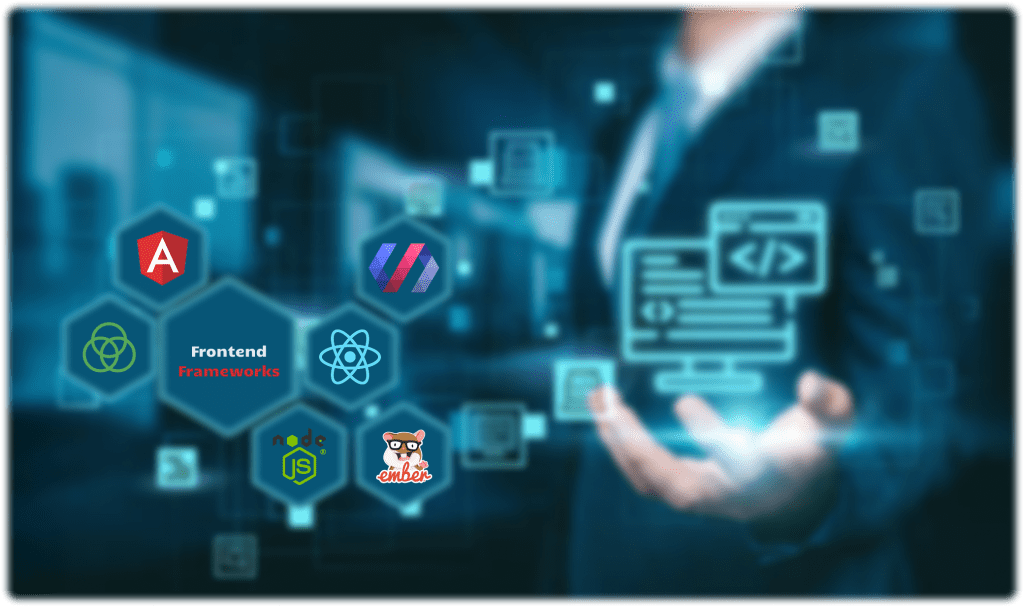
Top 10 Best Frontend Frameworks in 2024: The Future Is Here
Top 10 Best Frontend Frameworks in 2024: The Future Is Here
Frontend frameworks are now more vital than ever, making it easier for developers to build smooth, efficient, and responsive websites. But with so many choices out there, how do you know which one to go with? Well, in 2024, a few frameworks are standing out from the crowd, and, you don’t wanna miss out on knowing about them.
What Are Frontend Frameworks?
Okay, so before diving into the best frontend frameworks in 2024, let’s quickly cover what they actually are. In simple terms, a frontend framework is like a toolbox for web developers. It gives you pre-written code, templates, and components to help create the part of a website that users interact with – the buttons, forms, animations, and all that jazz. You could build everything from scratch, but with frontend frameworks, you save time and ensure your site runs smoothly across different devices.
Think of it like building a house. You could make every brick yourself, or you could use pre-made ones that are tried and tested. Using a framework means your house (or website) gets built faster, looks better, and is sturdier in the long run.
Why Frontend Frameworks Matter in 2024
The tech world changes faster than ever, Keeping up means using tools that are efficient, secure, and scalable. In 2024, choosing the best frontend framework could be the difference between a website that impresses and one that lags behind.
Now, let’s get into the nitty-gritty of the best frontend frameworks that will dominate in 2024.
1. React
React is still the king of frontend frameworks. Created by Facebook, this framework has been a favorite for a long time, and 2024 is no different. React’s component-based architecture makes it incredibly flexible and allows for high levels of reusability in code. Plus, the vast community support means that finding solutions to problems is just a Google search away.
- Why It’s Still Popular: React focuses on simplicity and performance, which is why developers love it.
- Example: React is used by companies like Airbnb, Uber, and .
2. Vue.js
Vue.js continues to gain traction because of its simplicity and versatility. It’s a great fit for both beginners and advanced developers alike. Vue is lighter than React and Angular, making it a go-to choice for smaller projects or developers who value ease of use over extensive functionality.
- Best For: Vue shines in building single-page applications (SPAs) and can easily be integrated into projects that already use other JavaScript libraries.
- Example: Alibaba and Xiaomi have embraced Vue.js in their tech stacks.
3. Angular
Angular might seem old-school to some, but it’s been revamped consistently, and it’s still a powerhouse in the frontend space. In 2024, Angular remains one of the most complete solutions for developing large-scale applications. It offers two-way data binding, meaning changes in the UI reflect instantly in the data model and vice versa.
- Pro Tip: Angular’s opinionated structure is great for teams that prefer consistency and want an all-in-one solution.
- Example: Google itself, which created Angular, uses it for various internal tools and platforms.
4. Svelte
Now, if you haven’t heard of Svelte yet, get ready. Unlike React and Vue, Svelte takes a different approach by shifting much of the work to compile time rather than in the browser. This results in faster load times and less bulky code.
- What Makes It Stand Out: Svelte doesn’t use a virtual DOM, which means it compiles your code to optimized vanilla JavaScript.
- Example: Major companies like The New York Times and Spotify are exploring Svelte’s benefits.
5. Next.js
Technically a framework built on top of React, Next.js has gained massive popularity for building server-side rendered applications. It’s perfect for developers who want all the power of React, combined with server-side rendering and static site generation.
- When to Use: If SEO and performance are priorities, Next.js is the way to go.
- Example: Vercel, Twitch, and Hulu all rely on Next.js for parts of their frontends.
6. Nuxt.js
Like Next.js, but for Vue, Nuxt.js offers server-side rendering and is particularly great for building SEO-friendly applications. If you’re a Vue lover and want something more powerful for big projects, Nuxt.js is your friend in 2024.
- SEO Boost: Since Nuxt handles server-side rendering, it’s ideal for apps that need to rank well in search engines.
- Example: Companies like Ubisoft and utilize Nuxt for their web apps.
7. Alpine.js
Alpine.js is small, simple, and perfect for developers who want to add dynamic functionality to websites without the overhead of a full-fledged framework like React or Vue. It’s a great alternative when you just need something lightweight for specific elements on a page.
- Why Consider It: Perfect for projects where you don’t want the full weight of React or Vue but still need dynamic functionality.
- Example: Used by small startups and individual developers looking to keep things minimal.
8. Ember.js
Ember has been around for years, but in 2024, it’s still hanging on as one of the best choices for building large-scale applications. It’s known for its strong conventions and powerful router.
- Best For: Large enterprise-level applications that need stability.
- Example: Yahoo and LinkedIn have been long-time users of Ember.
9. Backbone.js
Yes, Backbone is still in the game, While it’s not as shiny or trendy as the newer frameworks, it remains a lightweight option for developers who need simplicity and structure in their code. It’s particularly useful for building web applications that don’t require heavy lifting.
- Why Choose It: It’s simple and provides just enough structure for small to mid-sized projects.
- Example: Pinterest and Trello are among the many platforms that still use Backbone.
10. Solid.js
Solid.js is one of the newer kids on the block and has been getting a lot of attention lately. Like React, it offers a component-based architecture but is said to have better performance due to its fine-grained reactivity.
- What Makes It Unique: It offers many of React’s features but with a different approach to rendering, resulting in less re-renders.
- Example: While still growing, Solid.js is finding its place in the market for performance-driven applications.
Key features, Example Use Cases of every Front-end Framework and Why they stand out
| Framework | Best For | Key Features | Example Use Cases | Why Choose It in 2024? |
| React | Large-scale apps, SPAs | Component-based architecture, huge community | , Airbnb, Uber | Flexible, fast, and backed by a massive community support |
| Vue.js | Small to medium apps, SPAs | Lightweight, easy to learn, versatile | Alibaba, Xiaomi | Simple yet powerful; ideal for quick development and integration |
| Angular | Enterprise-level apps | Two-way data binding, comprehensive framework | Google, Microsoft | Full-fledged solution, best for large-scale, complex applications |
| Svelte | Performance-focused apps | Compiles at build time, no virtual DOM | The New York Times, Spotify | Minimal runtime, faster load times, and smaller bundle sizes |
| Next.js | SEO-friendly apps, SSR | Server-side rendering, static site generation | Hulu, Twitch | Ideal for React developers who need server-side rendering and SEO |
| Nuxt.js | Vue.js projects, SEO | Server-side rendering, powerful routing | Ubisoft, | Best choice if you love Vue but need the power of SSR and better SEO |
| Alpine.js | Simple interactive features | Minimalist, lightweight, easy to integrate | Small startups, individual developers | Perfect for small projects needing dynamic behavior without the bulk of a full framework |
| Ember.js | Long-term, large projects | Strong conventions, powerful router | LinkedIn, Yahoo | Excellent for large-scale projects that need consistency and stability |
| Backbone.js | Lightweight apps | Minimalist structure, simple models and views | Pinterest, Trello | Great for smaller, less complex projects that don’t need a full framework |
| Solid.js | Performance-driven apps | Fine-grained reactivity, minimal re-renders | Growing in popularity, used in performance-focused projects | Best for projects where every millisecond of performance counts |
The Advantages of Best Frontend Frameworks in 2024
So, why should you care about using the best frontend framework in 2024? Let me break it down for you:
• Speed: Frameworks speed up development by providing pre-written components.
• Consistency: Using a framework ensures that your code follows a consistent structure, making it easier to maintain.
• Scalability: Whether you’re building a small blog or a massive e-commerce site, frameworks can scale to meet your needs.
• Community Support: Most of the best frontend frameworks have thriving communities, meaning you’ll never be stuck with an issue for too long.
Conclusion
As you can see, the best frontend frameworks in 2024 provide a range of options for developers, from lightweight solutions like Alpine.js to full-scale frameworks like Angular. Each has its strengths, and depending on your project’s needs, there’s no shortage of choices. The key takeaway? Whether you’re looking for speed, ease of use, or SEO benefits, there’s a framework out there that fits the bill. So, ready to level up your development game? Start exploring these frameworks today.
FAQ: Best Frontend Frameworks in 2024
1. What exactly is a frontend framework?
A frontend framework is like a toolkit that helps developers create the visual part of a website—everything users see and interact with. It comes with pre-built components, making the development process faster and easier.
2. Which frontend framework is the best in 2024?
It really depends on what you’re working on, but React continues to dominate in 2024. It’s super flexible and backed by a huge community. But don’t sleep on Vue.js or Svelte—they’re also killing it with their simplicity and performance.
3. Why should I use a frontend framework instead of coding from scratch?
Using a frontend framework saves you time and headache. You don’t have to reinvent the wheel; frameworks offer pre-written code for common tasks like forms, animations, and data binding. Plus, they ensure your website works well across different devices and browsers.
4. Is React still the top choice for developers in 2024?
Yup, React is still leading the pack. It’s loved for its component-based approach and huge community support. Whether you’re building small projects or large applications, React has got you covered.
5. What’s the deal with Vue.js? Why is it so popular?
Vue.js is gaining even more fans in 2024 because it’s lightweight and easy to pick up. Whether you’re a beginner or a seasoned developer, Vue is versatile enough to handle simple to complex projects. It’s like the “Goldilocks” of frameworks—just the right balance between power and simplicity.
6. Is Svelte worth learning in 2024?
Svelte is doing something pretty unique by moving a lot of the work to compile time, meaning your app runs faster. If performance is a priority for you, Svelte is a framework to seriously consider.
7. What’s the difference between Next.js and Nuxt.js?
Next.js is built on React and is perfect if you need server-side rendering and SEO optimization. Nuxt.js does the same thing but for Vue.js. Both frameworks are ideal if you’re building websites where search engine performance is key.
8. Are older frameworks like Angular and Backbone still relevant in 2024?
Yep, they’re not going anywhere Angular is still a beast when it comes to large-scale enterprise apps, and Backbone remains a solid, lightweight choice for smaller projects. They might not be the trendiest, but they get the job done.
9. What’s Solid.js, and why is it gaining attention?
Solid.js is a newer player in the game but has been making waves with its performance. It’s similar to React but focuses on minimizing re-renders, making it super-fast for complex applications. If speed is your thing, Solid.js is definitely worth checking out.
10. How do I choose the right frontend framework for my project?
Consider your project’s needs—are you building a large app or a simple website? Do you need server-side rendering for SEO? If you want flexibility, go with React or Vue. For performance, Svelte or Solid.js could be great choices. At the end of the day, it’s about picking the tool that fits your specific needs.

10 Best Backend Frameworks in 2024
10 Best Backend Frameworks in 2024
The backbone of any successful web or mobile application often lies in the framework that powers it. Choosing the best backend framework is no longer a luxury—it’s a necessity for building scalable, efficient, and fast applications. So, what’s changed in 2024? And which backend frameworks are leading the pack? Let’s dive into it.
What Are Back-End Frameworks?
In simple terms, backend frameworks are the unsung heroes behind the curtain, ensuring that everything on a website or app functions smoothly. When you use an app and click a button, the backend framework ensures that the right data is fetched, processed, and sent back to the front end without hiccups. It’s like the kitchen in a restaurant—you don’t see it, but you rely on it to make everything work.
These frameworks simplify the development process, providing pre-built modules and structures so developers don’t have to start from scratch every time. It’s like having a LEGO set instead of building bricks from mud. Pretty cool, right? In 2024, the demand for more sophisticated frameworks has skyrocketed, and developers are spoiled for choice.
Why Use a Backend Framework?
Why reinvent the wheel when backend frameworks offer tried-and-true solutions for common issues? Here are a few reasons:
- Faster Development: Pre-built components save time.
- Scalability: Designed to grow with your application.
- Security: Robust frameworks come with built-in security features.
Alright, enough chit-chat. Let’s talk about the best backend frameworks of 2024.
The 10 Best Backend Frameworks in 2024
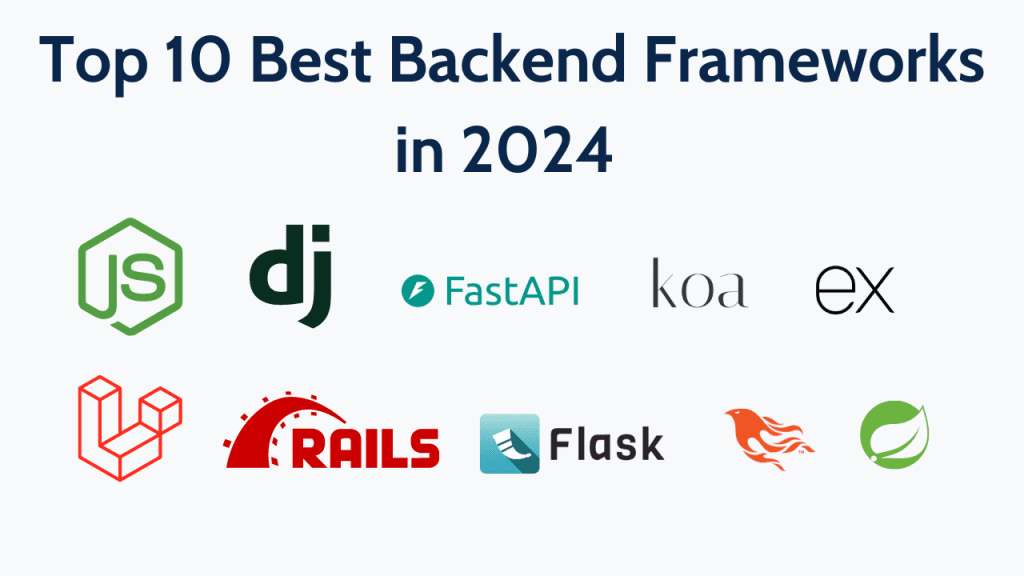
1. Node.js
Node.js remains a top contender in 2024. It’s fast, lightweight, and perfect for real-time applications. Think of apps like Slack and Trello—they run on Node.js because it handles asynchronous tasks brilliantly. What makes it stand out? It’s built on JavaScript, meaning full-stack developers can use one language for both front-end and back-end tasks. If you’re familiar with JavaScript, you can hop on the Node.js bandwagon without missing a beat.
Benefits Node.js
- JavaScript for full-stack development: Use one language (JavaScript) for both frontend and backend.
- Non-blocking architecture: Handles multiple tasks simultaneously, making it perfect for real-time apps.
- Lightweight and scalable: Great for applications expected to grow and handle high traffic.
- Large community: Extensive resources, tutorials, and libraries available for developers.
2. Django
Python lovers, rejoice, Django continues to shine as a secure, high-level Python framework that simplifies web development. Used by giants like Instagram and Pinterest, Django’s “batteries included” philosophy gives developers everything they need, right out of the box. Plus, it’s known for its focus on security, which is huge in 2024, especially with the growing concerns about data breaches.
Benefits of Django
- “Batteries included”: Comes with everything needed to build secure, scalable web applications.
- High security: Built-in security features like SQL injection prevention and cross-site request forgery protection.
- Great for rapid development: Offers reusable code and automatic admin panels, speeding up the development process.
- Strong Python ecosystem: Integrates well with data science and machine learning projects.
3. Ruby on Rails
This veteran framework is still hanging in there, and for good reason. Ruby on Rails is loved for its simplicity and productivity. The framework encourages convention over configuration, making it easier for developers to jump right in. You can build powerful applications without sweating over the small stuff. Oh, and did we mention Basecamp and Shopify use it?
Benefits of Ruby on Rails
- Convention over configuration: Speeds up development by reducing the need for decision-making about structure.
- Large number of pre-built libraries: Comes with “gems” that allow developers to easily add functionality.
- Developer-friendly: Focuses on simplicity and productivity, making it ideal for quick development.
- Mature ecosystem: Proven reliability with long-term support and a dedicated community.
4. Laravel
For PHP fans, Laravel is the backend framework to watch. It’s elegant, easy to understand, and brings simplicity to complex PHP coding. Laravel’s ecosystem is rich with tools and libraries that make authentication, routing, and caching a breeze. Plus, with the community continuing to grow, you can always find a package or plugin for just about anything you need.
Benefits of Laravel
- Elegant syntax: PHP framework with clean, readable code.
- Rich ecosystem: Offers a wide range of tools for authentication, routing, sessions, and caching.
- Excellent for beginners: Simple to pick up, even if you’re new to PHP.
- Security features: Includes built-in protection against common vulnerabilities.
5. Flask
While Django is the go-to for full-featured applications, Flask is the minimalist counterpart. It’s a lightweight Python framework that gives developers flexibility and control. Flask is perfect for small projects or APIs. Developers love it because it allows them to get something up and running quickly without being tied down by too many built-in features.
Benefits of Flask
- Lightweight: Minimalistic, giving developers more flexibility and control.
- Great for small projects or APIs: Perfect for creating smaller apps or microservices without extra bloat.
- Easy to learn: Ideal for developers who want a simple framework with fewer built-in features.
- Highly customizable: Allows you to build only what you need.
6. Spring Boot
Java developers, unite, Spring Boot remains a popular choice in 2024, particularly for enterprise-level applications. It simplifies Java development, offering microservice architecture capabilities. Companies like Netflix and Amazon swear by Spring Boot for handling their massive infrastructures, so you know it’s reliable.
Benefits of Spring Boot
- Microservice architecture: Ideal for building large-scale, distributed systems.
- Enterprise-grade: Trusted by major companies like Netflix and Amazon.
- Java-based: Great for Java developers who need a robust framework.
- Strong performance: Efficient memory management, making it suitable for high-performance apps.
7. Express.js
If you’re into Node.js, you’ve likely heard of Express.js. It’s a minimal and flexible Node.js framework that provides a solid foundation for developing web applications and APIs. The learning curve is low, and it’s highly scalable, making it a go-to framework for many companies in 2024. If you’re building a single-page app or a REST API, Express.js is your friend.
Benefits of Express.js
- Minimal and flexible: Simple, yet highly customizable for Node.js developers.
- Perfect for APIs: Great for building RESTful APIs quickly and efficiently.
- Scalable: Can handle small applications or large-scale projects with ease.
- Active community: Plenty of libraries and resources to help developers.
8. Phoenix (Elixir)
Phoenix is built on Elixir and brings speed and scalability to the table. In 2024, it’s gaining traction because of its real-time capabilities, which are crucial for chat applications, gaming, and financial services. The Elixir ecosystem ensures that applications are fault-tolerant and can handle massive traffic without crashing.
Benefits of Phoenix (Elixir)
- Real-time capabilities: Ideal for chat applications, gaming, or financial services.
- Fault-tolerant: Can handle high traffic without crashing, making it incredibly reliable.
- Concurrency: Uses Elixir’s powerful concurrency model, allowing it to handle thousands of connections simultaneously.
- Performance: Highly optimized for speed and scalability.
9. Koa.js
Another framework built by the creators of Express.js, Koa is even more lightweight, focusing on making the middleware more customizable and less bulky. Developers love it for its simplicity and flexibility, which allows them to create more modular applications. If you’re looking for a modern take on the backend, Koa.js is worth checking out.
Benefits of Koa.js
- Modern and lightweight: Built by the creators of Express.js, but with fewer restrictions and more flexibility.
- Customization: Offers more control over the middleware stack, allowing for cleaner and more modular code.
- Small footprint: Great for developers who want minimalism without sacrificing functionality.
- Improved error handling: Handles errors better than Express.js, making debugging easier.
10. FastAPI
As the name suggests, FastAPI is all about speed. This Python-based framework has been rising in popularity due to its ability to create fast web APIs. If you’re dealing with high-performance applications like machine learning or data science projects, FastAPI is a fantastic choice. It’s one of the fastest-growing frameworks in 2024, and we’re not surprised.
Benefits of FastAPI
- Incredibly fast: One of the fastest backend frameworks, perfect for high-performance APIs.
- Asynchronous support: Built-in support for asynchronous requests, which speeds up the application.
- Python-based: Leverages Python’s simplicity while focusing on speed.
- Automatic documentation: Automatically generates interactive API documentation, which is super helpful for developers.
Each framework brings unique advantages, so choosing the best one depends on your specific project needs, whether it’s speed, scalability, security, or ease of development.
Top 10 Best Backend Frameworks in 2024 Key features and Best Use Cases of every Framework
| Framework | Key Features | Best Use Cases |
| Node.js | Non-blocking, event-driven architecture; JavaScript for full-stack development | Real-time apps (e.g., chat, collaboration tools) |
| Django | High security; “Batteries included” philosophy | Large, scalable web applications; secure apps |
| Ruby on Rails | Convention over configuration; large library of gems | Quick MVP development, startups |
| Laravel | Elegant syntax; rich ecosystem with built-in tools | Web applications requiring authentication, sessions, and more |
| Flask | Lightweight and flexible; minimalistic design | Small projects, microservices, APIs |
| Spring Boot | Microservice-friendly; enterprise-grade performance | Large-scale distributed systems, enterprise apps |
| Express.js | Minimal, flexible; ideal for APIs | Building RESTful APIs, web apps |
| Phoenix | Real-time performance; fault-tolerant | High-traffic apps, real-time web apps (e.g., gaming) |
| Koa.js | Lightweight; modern and flexible | Modular web applications |
| FastAPI | Asynchronous support; automatic API documentation | High-performance APIs, Python-based systems |
Advantages of Using the Best Backend Frameworks in 2024
Here’s the deal: in 2024, the best backend frameworks make a developer’s life easier by offering a host of advantages. First off, they provide better security features. It’s like having a burglar alarm for your app, With cyber-attacks becoming more sophisticated, frameworks like Django and Laravel are stepping up their security game.
Not to mention, they speed up the development process. Time is money, and these frameworks ensure you can launch your app quicker. Plus, scalability is a huge bonus—when your app grows, the framework grows with it. Imagine your app being able to handle millions of users without breaking a sweat. That’s the magic of choosing the right backend framework.
And let’s not forget about the community support. Frameworks like Node.js and Laravel boast massive communities. This means if you hit a roadblock, you’ve got thousands of developers who can lend a hand. Talk about a support network.
Somes Other Benefits of Using a Backend Framework
Using a backend framework in 2024 means more than just getting the job done. You’re investing in the future of your project. Think about it: these frameworks handle the heavy lifting, allowing you to focus on what matters—building great features for your users. They’re efficient, scalable, and battle-tested.
Frameworks like Express.js and FastAPI also make it easy to create APIs that can be integrated into other applications. Need real-time communication for a chat app? Phoenix has you covered. Want something that handles asynchronous tasks seamlessly? Node.js is the answer.
Conclusion
In 2024, choosing the best backend frameworks isn’t just about trends—it’s about ensuring your project’s success. Whether you’re building a small app or managing a large-scale enterprise project, these frameworks offer the tools and support you need. From the robust security of Django to the speed of FastAPI, there’s a framework for every developer’s needs. Ready to take your next project to the next level? Dive into these frameworks and see how they transform your development experience.
FAQ
1. What is a backend framework?
A backend framework is like the engine of a car—it powers everything behind the scenes. It helps developers build the logic that runs an app or website, handling tasks like database interactions, user authentication, and server-side processing. In short, it makes the app work smoothly without you seeing all the magic happening in the background.
2. Why are backend frameworks important in 2024?
In 2024, backend frameworks are more critical than ever because they provide built-in solutions for security, scalability, and speed. With users demanding faster, more secure apps, having the right framework can make or break your project. These frameworks are designed to handle complex applications and ensure everything runs without a hitch—even as your app grows.
3. What are the best backend frameworks in 2024?
The top backend frameworks this year include:
- Node.js
- Django
- Ruby on Rails
- Laravel
- Flask
- Spring Boot
- Express.js
- Phoenix (Elixir)
- Koa.js
- FastAPI
Each of these has its strengths, from security to speed, depending on what your project needs.
4. Which backend framework is the fastest in 2024?
FastAPI lives up to its name and is considered one of the fastest backend frameworks in 2024. If speed and performance are top priorities for your app, especially for APIs, FastAPI should definitely be on your radar.
5. What makes Node.js so popular in 2024?
Node.js continues to dominate because it’s built on JavaScript, meaning developers can work on both frontend and backend using a single language. Its non-blocking, event-driven architecture makes it perfect for real-time applications like chat apps and collaborative tools. Plus, it’s lightweight and extremely scalable.
6. Is Django still relevant in 2024?
Absolutely, Django is one of the most secure and comprehensive backend frameworks out there. In an era of rising cyber threats, Django’s focus on security makes it a top choice for developers in 2024.
7. What’s the difference between Flask and Django?
Django is a full-featured framework that comes with a lot of built-in tools, making it perfect for large, complex applications. Flask, on the other hand, is much more lightweight and gives developers more flexibility and control, making it a better option for smaller projects or when you don’t need all the extras.
8. What framework should I use if I want to build a scalable app?
If you’re thinking big and want an app that can scale easily, frameworks like Node.js, Spring Boot, and Phoenix are great choices. These frameworks are built to handle heavy traffic and can grow with your app, making them ideal for large-scale projects.
9. Are backend frameworks beginner-friendly?
Some are more beginner-friendly than others. For example, Laravel and Flask are relatively easy to pick up, even if you’re new to backend development. On the other hand, frameworks like Spring Boot might have a steeper learning curve due to their complexity but are great for more experienced developers.
10. Why should I care about community support when choosing a backend framework?
The more popular the framework, the larger the community—this means more tutorials, plugins, and troubleshooting help when you’re stuck. Frameworks like Laravel, Node.js, and Django have massive communities behind them, so if you run into issues, you won’t have to figure things out alone.
How Cross-Platform App Development Saves Time and Money for Startups
How Cross-Platform App Development Saves Time and Money for Startups
Developing for all platforms doubles your costs. Cross-platform solutions? They cut that by half.
Startups, with their relentless pursuit of innovation, often face a common dilemma: how do you launch an app that works seamlessly across devices without burning through your entire budget? The answer, increasingly, lies in cross-platform app development. Not only is it a smarter way to save time, but it’s also an absolute game-changer when it comes to saving money. Let’s break down what cross-platform app development really is and why it’s the go-to solution for startups.
What is Cross-Platform App Development?
In a nutshell, cross-platform app development is like making one app that fits all. Instead of building separate versions for iOS, Android, and other operating systems, you code once and deploy it across multiple platforms. How sweet does that sound? Imagine the amount of time you save when you don’t need to build and maintain multiple versions of the same app.
So yeah, with a single codebase, your app gets a wider reach without the overhead of developing and maintaining different versions. Developers use tools like Flutter, React Native, or Xamarin to create these apps, allowing startups to get the most for their buck without worrying about users on different devices being left out.
Benefits of Cross-Platform App Development for Startups
Now, let’s talk benefits—’cause we all love those, right? Cross-platform app development has a bunch, especially for startups looking to stretch every dollar and make every second count.
- Cost Efficiency: Instead of paying developers to write code for multiple platforms, you’re paying for one team to develop a single app that works everywhere. That’s a no-brainer, According to research, businesses save around 30-40% on costs when they opt for cross-platform development over native development.
- Faster Time to Market: Time is money, particularly for startups trying to get ahead of the competition. With a single codebase, the time taken to launch on multiple platforms is drastically reduced. You can get your app out there, start gaining traction, and pivot if necessary—faster.
- Easier Maintenance & Updates: When you need to push updates or fixes, you do it once. Just once, this keeps things simple and ensures consistency across all platforms. Imagine managing two separate development tracks—sounds like a nightmare, right?
- Wider Reach with Consistency: Whether your user has an iPhone or a Samsung, your app’s experience stays consistent. This uniformity can build brand loyalty faster because people love when things work seamlessly, no matter what device they’re using.
Specific examples? Take Instagram and Uber Eats. Both started using cross-platform solutions to scale their services more quickly across multiple devices, and look where they are now.
Choosing the Right Cross-Platform Development Framework
So, you’ve decided to go cross-platform. But which framework should you choose? That’s where it gets a bit tricky. Picking the right framework isn’t just about what’s popular, it’s about what suits your specific needs.
- Flutter: Created by Google, this one’s quickly gaining steam, especially if you want a slick, native look and feel without the hassle of native code.
- React Native: Facebook’s baby and one of the most popular frameworks out there. Tons of startups love React Native for its efficiency and ease of use.
- Xamarin: Part of the Microsoft family, Xamarin is ideal if you’re already knee-deep in .NET.
But hey, don’t let this list overwhelm you, the key is to align the framework with your project’s goals, the skillset of your developers, and the experience you want to deliver. Trust me, you don’t wanna spend weeks coding in a framework only to realize halfway that it doesn’t suit your app’s needs. That’s just bad juju.
Potential Drawbacks and How to Overcome Them
Alright, no sugar-coating here—cross-platform development isn’t all sunshine and rainbows. It’s got its drawbacks, but, as with anything, knowing how to handle them makes all the difference.
- Performance Issues: Since cross-platform apps are designed to run on multiple devices, they may not be as fast or optimized as native apps. The key is to work with an experienced developer who knows how to optimize performance using best practices.
- Limited Access to Native Features: Sometimes, cross-platform frameworks don’t give you full access to device-specific features (like the latest iOS updates). But hey, there’s a workaround. You can implement native code alongside cross-platform solutions, a little hybrid magic, if you will.
- UI/UX Consistency: It’s trickier to achieve the exact native look for each platform, but again, a good designer knows how to handle these nuances.
How Ultivic Can Help You in Cross-Platform App Development
Here’s where Ultivic comes in, and trust me, we know our stuff. We’re all about helping startups get the most out of cross-platform app development by taking a highly tailored approach.
Unlike a lot of agencies that slap together an app and call it a day, Ultivic dives deep into understanding what your startup truly needs. We’ll help you choose the right framework, ensure your app performs like a beast across all devices, and most importantly, we make sure you stay on budget.
But that’s not all. Our team doesn’t just hand you an app and walk away. Nope. We’re with you for the long haul, making sure the app stays updated, optimized, and competitive in the ever-evolving mobile market.
Wrapping It All Up
To sum it up, cross-platform app development offers startups a fast, cost-effective way to reach a broad audience without the headache of managing multiple codebases. Whether it’s saving time, reducing costs, or ensuring consistent performance across devices, it’s a solution that startups just can’t ignore.
And when it comes to making this happen, companies like Ultivic have your back. So, if you’re ready to save some serious cash, get your app to market faster, and still deliver a quality product, why not give cross-platform app development a shot?
In the end, choosing this path isn’t just about saving money—it’s about making smart, scalable decisions that keep your startup ahead of the competition. Ready to build the next big thing? Let’s make it happen with cross-platform development.
FAQ
1. What exactly is cross-platform app development?
In simple terms, cross-platform app development lets you build one app that works across multiple platforms (like iOS and Android) using a single codebase. Instead of creating separate apps for each platform, developers use frameworks like Flutter or React Native to make sure the app runs smoothly on all devices.
2. Why should startups consider cross-platform development?
Startups are always looking to save time and money, right? Cross-platform development lets them do exactly that. Instead of hiring separate teams to build different versions of the app for each platform, you can get the job done with one team.
3. How does cross-platform app development save money?
Since you only need to build one codebase that works across all platforms, you’re cutting down on development costs big time. Maintenance is easier too—updates only need to be done once. No need to worry about juggling multiple versions of the same app. That’s a huge money-saver.
4. Will a cross-platform app perform as well as a native app?
For most cases, yes, While there might be slight performance differences, they’re usually small enough that users won’t even notice. With the right developers and optimization, cross-platform apps can perform really well—just like their native counterparts.
5. What are some potential drawbacks of cross-platform development?
A couple of things: cross-platform apps may not access every native feature of a device, and performance might not be as fast as native apps in very specific cases. But honestly, these issues can often be worked around by skilled developers or using hybrid methods (adding a bit of native code where necessary).
6. Which cross-platform framework is best for startups?
It really depends on your specific needs. For instance:
- Flutter (from Google) is great for creating apps that look native and feel smooth.
- React Native (Facebook’s tool) is a popular choice for startups because it’s user-friendly and gets the job done fast.
- Xamarin (from Microsoft) is best if you’re already using .NET.
Each one has its perks—choosing the right one comes down to what kind of app you’re building and your team’s expertise.
7. Can cross-platform development help me launch my app faster?
Absolutely, with just one codebase to manage, development time is significantly reduced. You’ll get your app on both Android and iOS simultaneously, allowing you to enter the market quicker than if you were developing separate apps for each platform.
8. What if my app needs to use specific features from iOS or Android?
No worries, even though cross-platform apps don’t always have full access to platform-specific features, you can still add native code where needed. This “hybrid” approach gives you the best of both worlds—wide compatibility and specific functionality when required.
9. How does cross-platform development impact updates and maintenance?
One of the best things about cross-platform development is that updates only need to be done once. This makes maintaining and upgrading your app so much easier. You won’t have to worry about separate teams working on different versions—it’s all streamlined into one process.

Top 7 AI Trends To Look Out for in 2024

Why Your Online Business Needs AI-Powered Chatbots


